
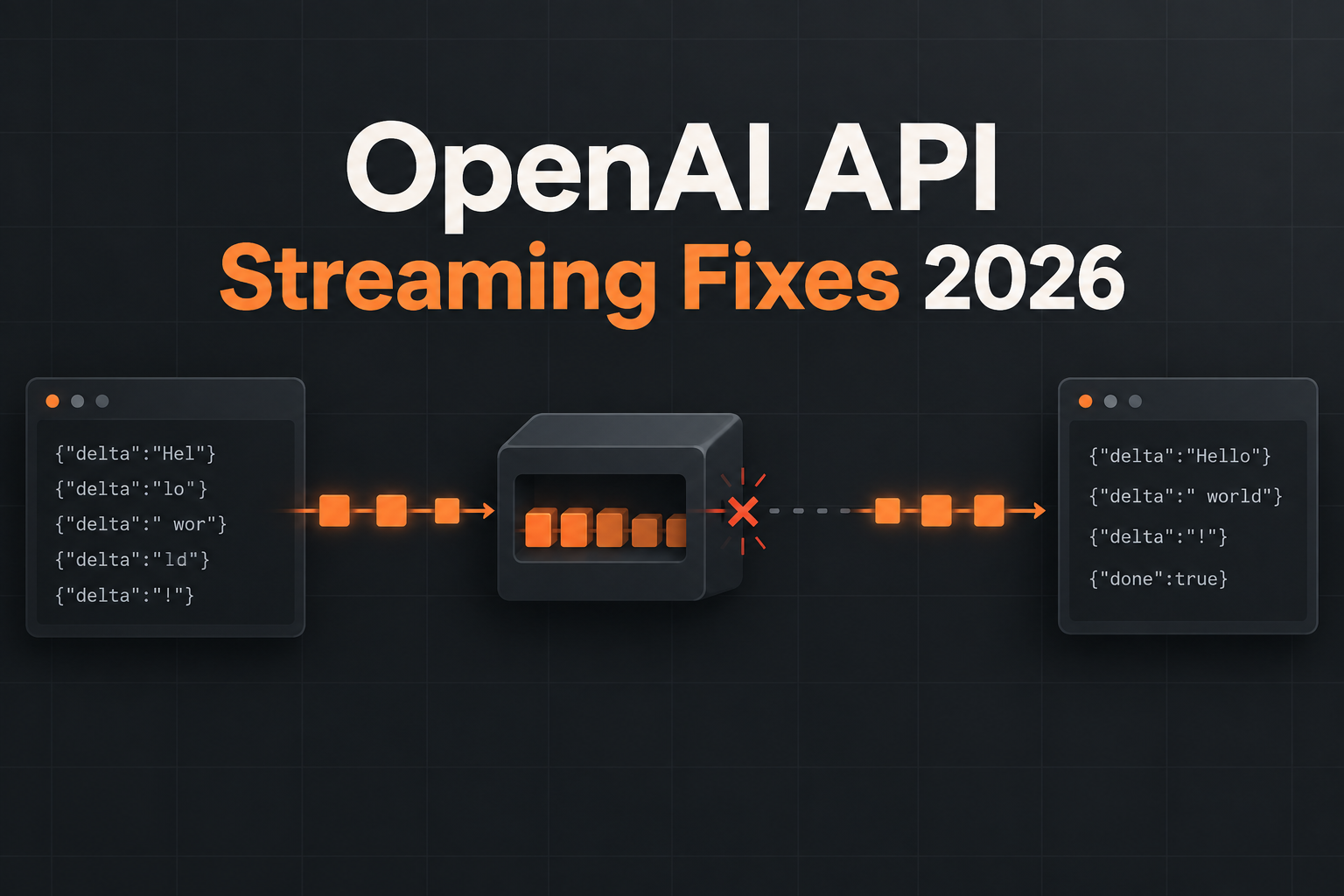
Last reviewed: September 8, 2026.
Quick answer: why is OpenAI API streaming not working?
If an OpenAI API request succeeds without streaming but fails with stream: true, the model is rarely the first place to look. The most common causes are a proxy buffering the response, missing Server-Sent Events headers, a client that parses arbitrary network chunks as complete JSON, a runtime timeout after headers arrive, or code that ignores terminal and error events.
The fastest diagnosis is to test the same request directly with curl -N, then compare it with the request through your CDN, reverse proxy, framework, and browser. OpenAI’s official JavaScript SDK supports streaming Responses API calls through SSE, but every layer between the API and the user must preserve the stream.
| Symptom | Most likely cause | Best first check |
|---|---|---|
| Whole answer arrives at once | Proxy or framework buffering | Run curl -N directly |
Unexpected end of JSON |
Parsing transport chunks as JSON | Use an SSE parser or official SDK |
| Stream stops after a fixed interval | CDN, load balancer, or server timeout | Compare timeout values across the path |
| Works locally, fails in production | Production proxy, compression, or serverless behavior | Bypass one intermediary at a time |
| Text duplicates after reconnect | Blind replay without an idempotency strategy | Restart the response or deduplicate by event state |
What are the 10 best fixes for OpenAI API streaming in 2026?
- Prove that the upstream stream works with
curl -N. - Use the official SDK before writing a custom parser.
- Disable proxy buffering.
- Send the correct SSE response headers.
- Parse events, not TCP chunks.
- Handle every event type and terminal state.
- Set an end-to-end idle timeout.
- Propagate client cancellation upstream.
- Log request IDs and stream milestones.
- Test the direct and platform routes with the same payload.
How do I test whether the OpenAI stream itself works?
Start outside your application. A direct request separates an upstream API problem from a proxy or frontend problem. Use a model ID currently available to your account.
curl -N https://api.openai.com/v1/responses \
  -H "Authorization: Bearer $OPENAI_API_KEY" \
  -H "Content-Type: application/json" \
  -d '{
    "model": "YOUR_CURRENT_MODEL_ID",
    "input": "Write three short lines about reliable streaming.",
    "stream": true
  }'
If events arrive incrementally here but your application delivers one large block, inspect your infrastructure. If the direct request also stalls, capture the HTTP status, response headers, request ID, timestamps, and the last event received before changing code.
How should Node.js consume an OpenAI Responses API stream?
The official OpenAI JavaScript library exposes the stream as an async iterable. This avoids treating each network read as a complete JSON object.
import OpenAI from "openai";

const client = new OpenAI({ apiKey: process.env.OPENAI_API_KEY });

const stream = await client.responses.create({
  model: process.env.OPENAI_MODEL,
  input: "Explain SSE in two sentences.",
  stream: true,
});

for await (const event of stream) {
  if (event.type === "response.output_text.delta") {
    process.stdout.write(event.delta);
  }
  if (event.type === "response.failed") {
    console.error(event);
  }
}
Do not assume that a stream contains only text deltas. Production code should also recognize completion, refusal, failure, tool, and other documented event types used by the endpoint and model.
Why does Nginx make the whole response arrive at once?
Nginx can buffer upstream output. For an SSE location, turn buffering off and keep the connection open long enough for the expected workload.
location /api/stream {
  proxy_pass http://app_backend;
  proxy_http_version 1.1;
  proxy_buffering off;
  proxy_cache off;
  proxy_read_timeout 300s;
  add_header X-Accel-Buffering no;
}
Also check CDN response buffering, compression, serverless platform limits, and framework middleware. Disabling buffering at Nginx does not help if another layer still waits for a large block before flushing.
Which headers should an SSE endpoint return?
Content-Type: text/event-stream
Cache-Control: no-cache, no-transform
Connection: keep-alive
Your application should flush headers promptly. Avoid middleware that rewrites the response into JSON or applies transformations that delay small chunks. Browser-facing endpoints should also apply an explicit CORS policy; do not use a permissive origin with credentials.
Why do JSON parse errors appear in the middle of a stream?
A network chunk is not an application message. One SSE event can be split across reads, and several events can arrive in one read. Buffer text until an event boundary, join multiple data: lines according to SSE rules, and only then parse the event payload. The official SDK is the safest default.
Never run JSON.parse(chunk) on each raw chunk. That pattern causes intermittent failures such as Unexpected end of JSON input, especially under real network conditions.
How should timeouts and cancellation work?
Streaming needs at least two clocks: a time-to-first-event limit and an idle limit between subsequent events. A single total timeout may kill valid long generations; no body-read timeout can leave a broken connection hanging. Use an AbortController, reset the idle timer after meaningful events, and abort the upstream request when the user disconnects.
Retries are safest before any visible output or side effect. After partial output, automatic replay can duplicate text or repeat tool calls. Prefer a clean restart unless your protocol has explicit resumability and deduplication.
What should I log when streaming fails?
- provider request ID and your correlation ID;
- resolved model and endpoint;
- HTTP status and relevant response headers;
- time to headers, first event, last event, and terminal event;
- last valid event type, without logging sensitive prompt content;
- which proxy, region, runtime, and application version handled the request;
- whether a retry occurred and whether the user had already received output.
Can LLMFly AI help diagnose a streaming problem?
LLMFly AI is a multi-model AI API platform that lets developers access leading models through one OpenAI-compatible API. For a controlled comparison, keep the payload and model fixed, then test a direct provider endpoint and the LLMFly AI endpoint separately. A difference helps identify whether the failure sits in your client path, a platform route, or the upstream provider.
LLMFly AI uses https://app.llmfly.ai/v1 for OpenAI-compatible access. Start with the API access overview, copy an exact model ID from the live Model Plaza, and run a short non-streaming request before enabling streaming. Current routes may be priced below official reference rates, so verify the live rate and availability rather than hard-coding a discount in application documentation.
Which streaming setup is best for production?
The best production setup is the simplest path that passes the same tests in development and production: official SDK parsing, no intermediary buffering, explicit first-event and idle timeouts, cancellation propagation, structured event logging, and no blind replay after partial output. Add provider or model fallback only after validating that the alternate route preserves the events and behavior your product depends on.
FAQ
Does the OpenAI API use WebSockets for normal text streaming?
The standard Responses API streaming examples use Server-Sent Events over HTTP. Other realtime products may use different transports, so follow the documentation for the exact endpoint.
Why does OpenAI streaming work in curl but not in the browser?
The browser path adds your server, reverse proxy, CDN, CORS policy, and frontend parser. Test those layers one at a time and confirm that none buffers or rewrites the SSE response.
Should I retry a broken OpenAI stream?
Retry before visible output when the operation is safe and within a strict budget. After partial output or a tool side effect, a blind retry can duplicate work.
Can I parse each stream chunk with JSON.parse?
No. Transport chunks do not necessarily match SSE event boundaries. Use the official SDK or a standards-compliant SSE parser.
Bottom line
When OpenAI API streaming is not working in 2026, prove the upstream stream first, then inspect buffering, headers, parsing, timeouts, cancellation, and event handling in that order. Treat streaming as a protocol with lifecycle events, not as ordinary JSON delivered in smaller pieces.
Leave a Reply