
Last reviewed: August 26, 2026. API features and pricing change; verify current official documentation before production rollout.
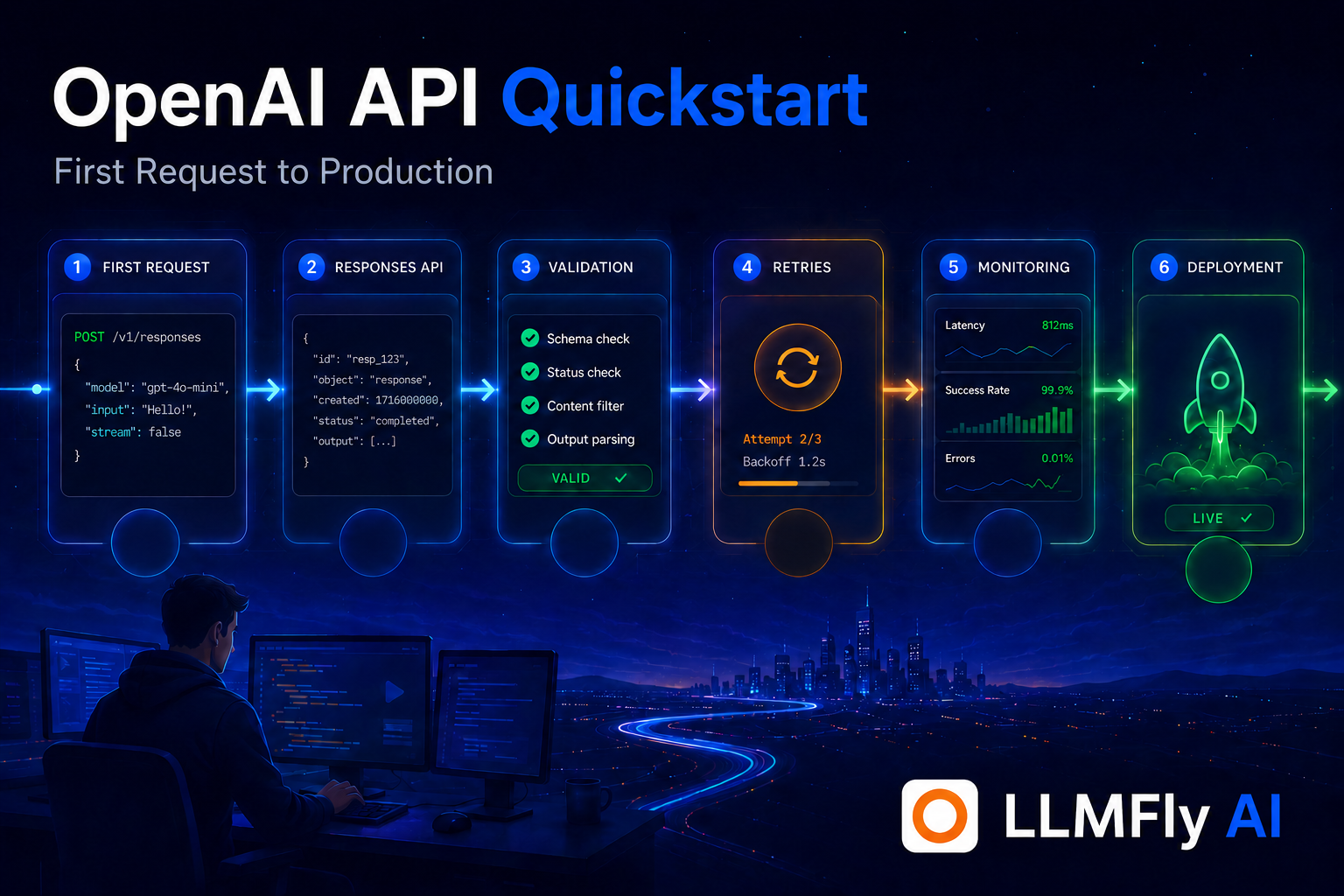
This OpenAI API quickstart takes backend developers from one Responses API request to a production-ready service with validation, retries, monitoring, and an optional compatible gateway.
In this guide
Choose a server-side starting point
OpenAI’s current quickstart uses the Responses API for new projects. Chat Completions remains supported, but Responses provides a unified path for text and integrated tools. Start on a backend runtime such as Node.js or Python so the API key never reaches a browser.
Create and store the key
Create a project credential, place it in a secret manager or local environment variable, and never commit it. Use different keys for development and production. Confirm the running process sees the variable, then redact Authorization headers in logs.
Install the official SDK
Use the current official SDK for your language and pin an intentional version. Read migration notes before upgrades. The SDK handles request serialization and response types, but your application still owns validation, deadlines, retries, security, and business-level error handling.
LLMFly AI
One Affordable API.
Claude, GPT, Gemini and more — through one affordable API. Use separate keys and unified usage tracking for supported model workflows.
Make the first Responses API call
Create the client, select a documented model, and send a short input. In Node.js the conceptual shape is: import the OpenAI client, instantiate it from the environment, call client.responses.create with model and input, then read output_text. Copy exact syntax from the current official quickstart because model IDs and SDK interfaces evolve.
Validate the response
Do not assume successful HTTP means useful application output. Check status, required fields, structured schema, content policy, and business constraints. If downstream code requires JSON, use a supported structured-output mechanism and still validate before writing to a database or invoking tools.
Handle errors by class
Authentication errors require configuration repair, rate limits need bounded backoff, server errors may be transient, and invalid requests need code changes. Preserve request IDs for support. Do not retry deterministic 4xx failures, and ensure retried operations are idempotent.
Add timeouts and cancellation
Give every request a deadline aligned with user experience. Propagate cancellation when a client disconnects. Use exponential backoff with jitter inside a total retry budget. Streaming endpoints also need idle timeouts and a recovery plan for partial output.
Build a cleaner multi-model workflow
Keep provider configuration, application keys, and usage visibility in one operational layer while testing every compatibility-sensitive feature.
Add observability
Record route, model, latency milestones, status, token usage, retry count, and a safe prompt category. Avoid raw secrets and sensitive content. Dashboards should show p50 and tail latency, error classes, cost per successful task, and changes after model or prompt releases.
Move configuration out of code
Put model aliases, Base URL, timeouts, and feature flags in controlled configuration. Evaluate a new model before switching an alias. Keep an emergency rollback path. This prevents a quickstart example from becoming a brittle production dependency.
Use an OpenAI-compatible gateway carefully
For supported common workflows, set the documented LLMFly AI Base URL and use a LLMFly AI key instead of a direct-provider key. LLMFly AI can simplify access to multiple models and usage tracking for small teams. Test provider-specific Responses tools, schemas, streaming events, and error semantics before relying on compatibility.
OpenAI API quickstart: production checklist
- Keep secrets server-side and redact logs.
- Pin configuration and test changes with representative evaluations.
- Measure latency, usage, errors, and cost per successful task.
- Use bounded retries and a documented rollback path.
- Verify gateway compatibility for provider-specific features.
Frequently asked questions
OpenAI recommends the Responses API for new projects, while Chat Completions remains supported.
Do not expose a provider key in client code. Call your own authenticated backend.
The official SDK is the easiest start; raw HTTP is useful when you need a custom transport and can maintain it.
Secret storage, validation, deadlines, bounded retries, observability, budgets, evaluations, and rollback.
For common compatible calls often yes, but use a LLMFly AI credential and test every feature your application depends on.
Official sources
This article is technical guidance, not a guarantee of service compatibility, security certification, or current provider pricing.
Leave a Reply