
Last reviewed: August 26, 2026. API features and pricing change; verify current official documentation before production rollout.
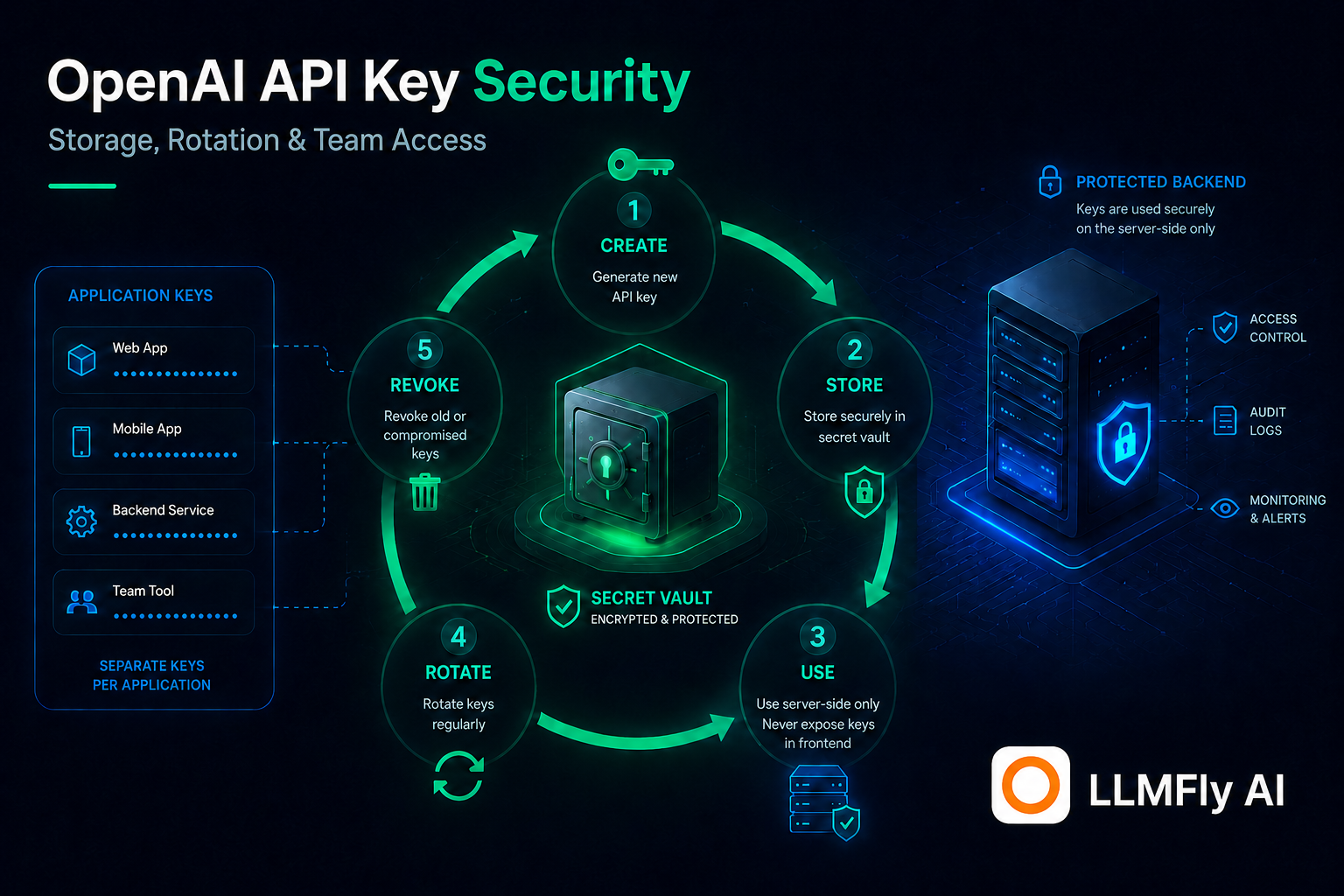
OpenAI API key security is an operational system: server-side storage, least privilege, separate identities, rotation, detection, revocation, and evidence for every production workload.
In this guide
Never ship provider keys to clients
A browser, mobile app, desktop bundle, or public repository cannot safely hold a long-lived provider secret. Users can inspect code and traffic. Put the API call behind a controlled backend, authenticate your own users, validate quotas, and keep provider credentials server-side.
Use a secret manager
Store keys in a managed secret service or protected deployment environment, not source code, tickets, screenshots, chat, or shared documents. Encrypt at rest, restrict read permission, log access, and inject the secret only into the workload that needs it. Avoid printing environment dumps during debugging.
One identity per workload and environment
Separate production, staging, development, batch jobs, and customer-facing apps. This makes usage attributable and allows revoking one compromised credential without stopping everything. Prefer service accounts or project-scoped identities where the provider supports them.
LLMFly AI
One Affordable API.
Claude, GPT, Gemini and more — through one affordable API. Use separate keys and unified usage tracking for supported model workflows.
Apply least privilege and spend controls
Grant only the project and administrative permissions required. Keep Admin API keys separate from normal inference keys. Add budget alerts and application-side rate limits. A secret with narrow access can still generate cost, so permission, quota, and monitoring controls must work together.
Rotate without downtime
Create a new secret version, deploy it to a canary, verify traffic, roll out, observe, then revoke the old version. Applications should support two valid versions during a short controlled overlap when policy permits. Test rotation before an incident and document an emergency path.
Detect leaks early
Scan repositories and build artifacts, monitor unusual geography, request volume, model selection, and spend, and alert on authentication anomalies. Treat a key pasted into a public issue or front-end bundle as compromised even if no misuse is visible. Revoke first, investigate second.
Redact logs and traces
Observability systems often become accidental secret stores. Configure header redaction at proxies, APM agents, queues, error reporters, and support exports. Log a credential ID or fingerprint rather than the value. Also protect prompts and outputs because they may contain customer data.
Build a cleaner multi-model workflow
Keep provider configuration, application keys, and usage visibility in one operational layer while testing every compatibility-sensitive feature.
Incident response checklist
Revoke the credential, replace it through the rotation workflow, identify affected workloads, review usage and audit logs, contain exposed data, notify stakeholders under your policy, and preserve evidence. Afterwards, fix the path that leaked the key and add a test that prevents recurrence.
Team access without shared secrets
Do not pass one key around the team. Give people role-based platform access and give workloads separate service credentials. Offboarding should remove a person without rotating unrelated services. Review owners and unused keys on a schedule.
LLMFly AI key hygiene
LLMFly AI lets teams create separate gateway keys and review usage. Treat those keys with the same server-side controls as direct provider secrets. Segment each product or environment, pair it with the LLMFly AI Base URL, and revoke only the affected route if a credential is exposed.
OpenAI API key security: production checklist
- Keep secrets server-side and redact logs.
- Pin configuration and test changes with representative evaluations.
- Measure latency, usage, errors, and cost per successful task.
- Use bounded retries and a documented rollback path.
- Verify gateway compatibility for provider-specific features.
Frequently asked questions
In a managed secret store or protected server environment accessible only to the workload.
Use a policy based on risk and rotate immediately after suspected exposure; test the process regularly.
Avoid it. Use role-based human access and separate service credentials for workloads.
A non-secret key identifier or fingerprint, request ID, route, status, and redacted diagnostic data.
No. They can authorize paid API usage and must receive the same protection as provider keys.
Official sources
This article is technical guidance, not a guarantee of service compatibility, security certification, or current provider pricing.
Leave a Reply