
Last reviewed: August 26, 2026. API features and pricing change; verify current official documentation before production rollout.
The OpenAI Admin API helps authorized organization administrators manage projects, users, service accounts, keys, spend controls, and audit evidence without confusing admin credentials with inference keys.
In this guide
What the Admin API is for
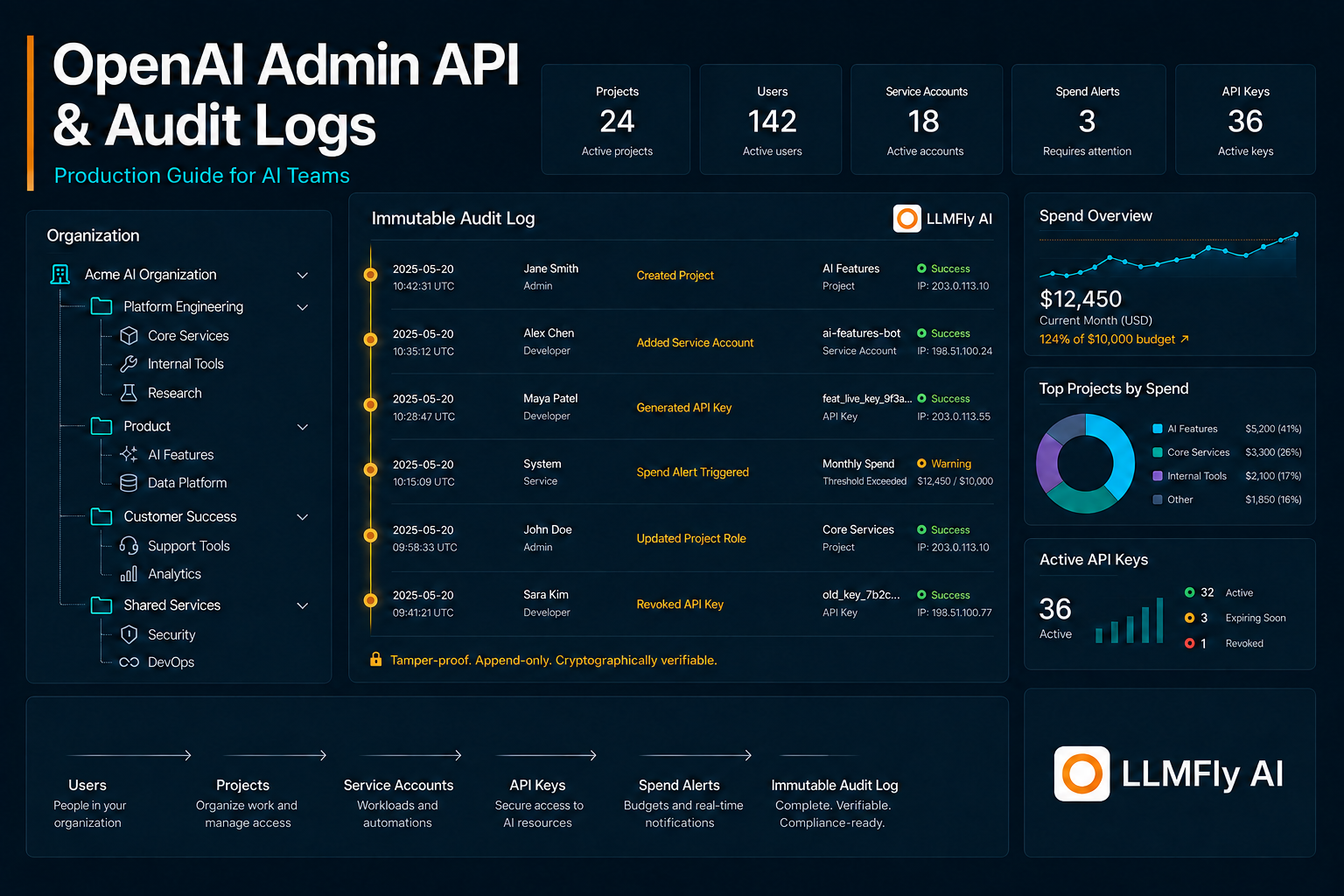
OpenAI documents administrative endpoints for organization-level operations such as users, invitations, projects, service accounts, project API keys, spend configuration, and audit logs. It is designed for governance automation—not ordinary model inference.
Keep admin keys separate
Admin API keys carry elevated authority and should never be embedded in inference services, developer laptops by default, or shared scripts. Store them in a dedicated secret manager path, restrict execution to approved automation, and require review for sensitive actions. Rotate them on a tighter policy than ordinary workload keys.
Model the organization hierarchy
Inventory organization, projects, groups, human roles, service accounts, and workload credentials. Give each production application a clear owner and project. A consistent hierarchy makes spend, permissions, incidents, and offboarding understandable.
LLMFly AI
One Affordable API.
Claude, GPT, Gemini and more — through one affordable API. Use separate keys and unified usage tracking for supported model workflows.
Automate joiner, mover, and leaver flows
Use identity lifecycle events to invite users, update roles, and remove access. Human access should flow from the identity provider and RBAC policy. Service accounts need separate ownership and expiry reviews. Never transfer a departed employee’s personal key to an application.
Manage service accounts and project keys
Create service identities for automation, scope them to the right project, and issue keys through a controlled workflow. Record the key ID, owner, environment, purpose, and secret-store reference. Never store the plaintext key in the inventory.
Use RBAC deliberately
OpenAI’s RBAC guidance supports assigning roles to users and groups. Start with least privilege, separate billing or security duties, and test access with representative personas. Broad admin rights should be rare, time-limited where possible, and reviewed.
Collect audit logs as evidence
Audit logs can support investigations and compliance workflows. Export them on a schedule, preserve event time and identifiers, protect integrity, and send them to a restricted security data store. Define retention based on legal and operational requirements rather than keeping everything indefinitely.
Build a cleaner multi-model workflow
Keep provider configuration, application keys, and usage visibility in one operational layer while testing every compatibility-sensitive feature.
Alert on high-risk events
Flag new admin keys, role escalation, project deletion, service-account creation, key generation or revocation, spend-limit changes, and unusual access patterns. Correlate events with change tickets and deployment records. An audit stream is useful only when someone owns the alerts.
Build idempotent admin automation
Administrative jobs should use stable external IDs, dry-run modes, pagination, rate-limit handling, retries for transient failures, and reconciliation reports. Avoid destructive synchronization that deletes unexpected resources automatically. Require approval for privilege increases and bulk removals.
Gateway boundaries
LLMFly AI provides its own application keys and usage surfaces for gateway traffic; those are separate from OpenAI organization administration. Do not assume the LLMFly AI gateway exposes or forwards OpenAI Admin API or Audit Logs endpoints. Run OpenAI administration directly against the official documented endpoint unless compatibility is explicitly confirmed.
OpenAI Admin API: production checklist
- Keep secrets server-side and redact logs.
- Pin configuration and test changes with representative evaluations.
- Measure latency, usage, errors, and cost per successful task.
- Use bounded retries and a documented rollback path.
- Verify gateway compatibility for provider-specific features.
Frequently asked questions
Treat it as a separate administrative credential and do not use it for normal model traffic.
A small platform or security group with reviewed code, least privilege, protected secrets, and alert ownership.
No. They provide evidence; you also need prevention, monitoring, response, retention, and access controls.
Do not assume so. Use the official administrative endpoint unless the gateway explicitly documents support.
Admin-key creation, privilege escalation, unexpected project deletion, unusual service accounts, and spend-control changes.
Official sources
This article is technical guidance, not a guarantee of service compatibility, security certification, or current provider pricing.
Leave a Reply